 DeniseUI
This is not a video. It is the toolkit.
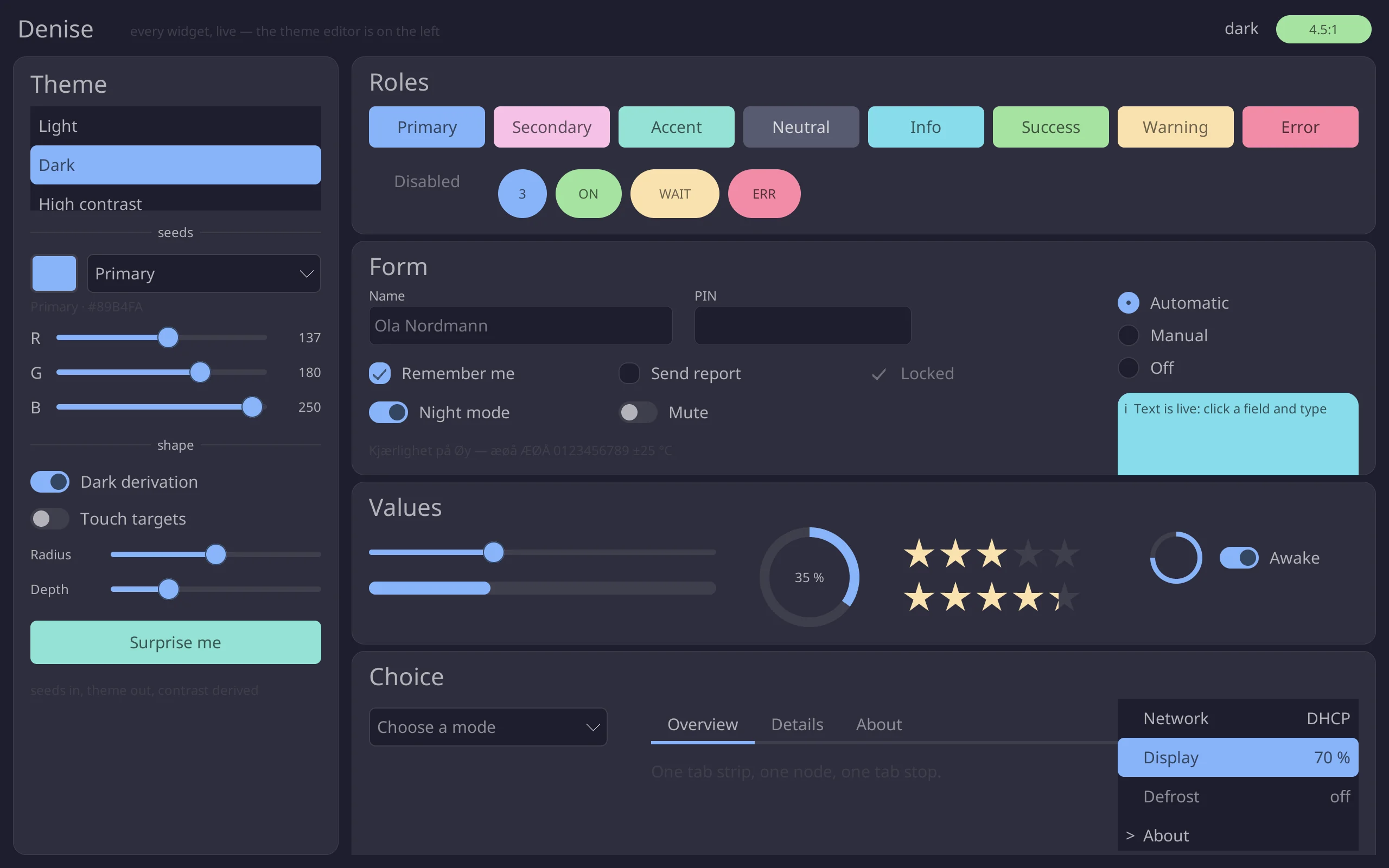
The app.rs from two of the repository’s examples, compiled byte for byte to WebAssembly.
The same widgets, the same software rasteriser, the same damage tracker that drives a Raspberry Pi’s display, drawing into a canvas instead of a scanout buffer.
Pink outlines are the rectangles it repaints.
Things to try
The on-screen keyboard comes up, because that is what a panel with nothing plugged into it does; the key at its bottom right puts it away. Your real keyboard types too — and only the field and its caret repaint.
Focus offers the whole value for replacement; a press places the caret, a second takes the word under it, a third takes the field. Ctrl or Option and an arrow move by word, and ⌘C, ⌘X and ⌘V go through the application.
A seed colour changes, the theme is derived again, and everything repaints, because every widget names a role rather than a colour.
The spinner stops asking for frames. What is left is the wall clock, which asks to be woken exactly when the next second starts.
A popup is a scene above the tree, and Escape or a click outside closes it. Tab and the arrow keys work everywhere.
The built-in themes, cycled — the same key the example binds on a desktop. The Light, Dark and Contrast buttons above do it from the page instead.
It is a viewport, and scrolling is the tree’s job: wheel, page keys, touch-drag, clipping and hit testing all agree because one reflow computes them.
How this runs
- A third backend beside the window and the kiosk ones: site/wasm, about three hundred lines, pulls in gallery/app.rs and table-editor/app.rs by path.
- Built for
wasm32-wasip1, so the applications keep usingstd::time. The page supplies a clock and nothing else. No wasm-bindgen, no JavaScript UI. - Each frame, the page copies only the damaged rectangles onto the canvas, the way a DRM backend presents only what changed.
- Between frames nothing runs. The page sleeps until the tree’s next deadline, or until you touch it, and stops entirely when the demo scrolls out of view.
- Text is Noto Sans through the TrueType tier. Prefers reduced motion? The toolkit gets
Motion::None.